
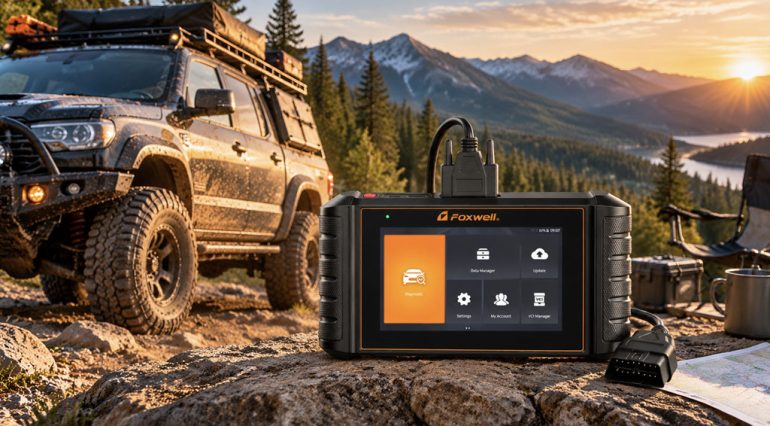
Imagine driving your vehicle along a remote off-road trail. After crossing a stretch of deep ruts, an ABS or traction-control warning light suddenly appears on the dashboard. The vehicle still runs, but the nearest repair shop is miles away, and the route back includes steep climbs.
Rough terrain, mud, water, and repeated vibration can affect wheel-speed sensors, electrical connectors, and wiring. Depending on the vehicle and the fault, these issues may interfere with braking assistance or traction-control systems.
The first step is to stop somewhere safe and assess whether the vehicle can continue. But a warning light alone rarely tells you which component is causing the problem. That’s where a scanner capable of accessing the relevant control modules can help.
Unlike basic code readers that focus on engine faults, the Foxwell NT710 multi-system scanner can access multiple vehicle control modules, including the engine and ABS systems on supported vehicles. It can read and clear trouble codes, display live data, and perform selected active tests.
For example, if a traction-control warning appears after driving over rough terrain, the driver can safely pull over, connect the NT710 to the OBD2 port, select the vehicle, and scan the relevant systems.
If the NT710 retrieves a wheel-speed sensor fault code, the driver now has a specific area to investigate. Instead of guessing or immediately replacing the sensor, they can check the nearby wiring, connectors, and visible damage.
Of course, a trouble code doesn’t always identify the failed component. The issue could be the sensor itself, damaged wiring, or a loose connection. The NT710 helps narrow down the problem and provides useful diagnostic information for the next repair step.
For overlanders traveling far from repair shops, the NT710’s standalone handheld design makes it convenient to keep in the vehicle. Before heading off-grid, drivers should install the necessary software and confirm which functions are available without an internet connection.
For overlanders and DIY vehicle owners, the NT710 goes beyond basic code reading, combining full-system diagnostics, bi-directional testing, live data, and maintenance functions in one standalone tool.
The NT710 can access supported systems such as the engine, transmission, ABS, and SRS. This helps drivers investigate warning lights and identify potential issues when repair shops are far away.
The NT710 can command supported components, such as cooling fans, pumps, and valves, to check their response. This helps narrow down potential faults before replacing parts.
With 30+ service functions, including EPB service, SAS calibration, BMS reset, and ABS bleeding, the NT710 helps DIY owners handle supported maintenance tasks both on the trail and at home.
The NT710 includes lifetime free software updates with no annual renewal fees. It’s a practical long-term investment for drivers who want reliable diagnostic capabilities without ongoing subscription costs.
Available functions vary by vehicle and installed software. Confirm compatibility before purchasing.
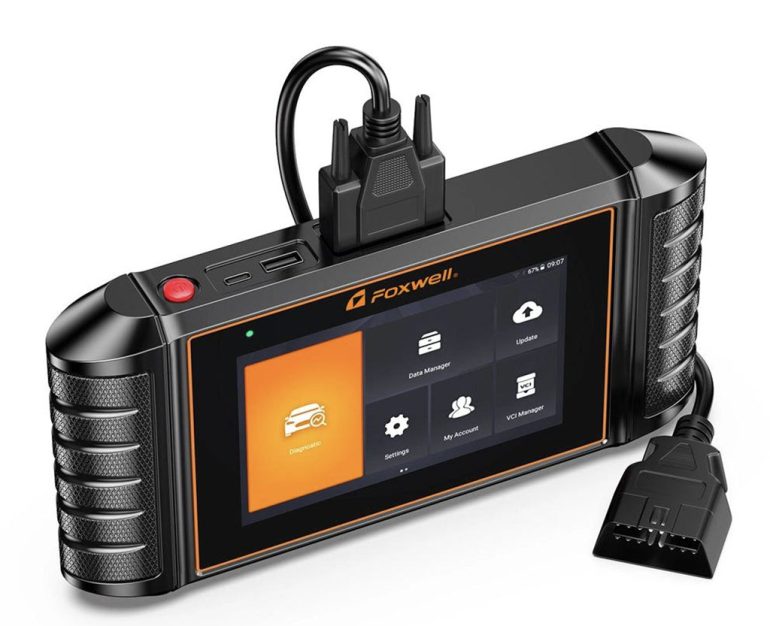
Beyond reading trouble codes, the NT710 offers vehicle-specific service functions that can be useful for overlanders who handle their own maintenance.
Steering Angle Sensor (SAS) Calibration
After certain steering repairs or wheel alignment work, some vehicles require steering angle sensor calibration. On supported models, the NT710 can perform the required calibration procedure to complete the repair.
Electronic Parking Brake (EPB) Service
Some vehicles with electronic parking brakes require a service mode before replacing rear brake pads.
For example, if an overlander needs to service the rear brakes at a campsite, they can use the NT710 to activate the appropriate EPB service mode on a compatible vehicle before following the manufacturer’s brake replacement procedure.
Other Service Functions
Depending on the vehicle and software coverage, the NT710 may also support throttle adaptations and other maintenance procedures. Drivers should confirm individual function compatibility before attempting a repair.
Towing a camping trailer uphill, carrying heavy loads, or driving slowly over rough terrain can put extra stress on the engine and transmission. Beyond fault codes, the NT710’s live data function gives drivers a closer look at how their vehicle is operating.
For example, imagine towing a camper through the mountains when an engine temperature warning appears. After stopping safely, the driver can connect the NT710 and check available coolant temperature, transmission temperature, and other relevant sensor readings.
If a reading appears abnormal, the driver can compare it with the manufacturer’s specifications to help determine whether further inspection is needed.
The NT710 can also display supported engine operating data. If a vehicle begins running roughly, drivers may review and record relevant sensor readings to help with further troubleshooting.
Live data doesn’t prevent overheating or mechanical damage, but it provides more detailed information than a warning light alone. Available parameters depend on the vehicle, control modules, and software coverage.
Before adding the NT710 to your recovery kit, make sure it supports your specific vehicle and the functions you’re most likely to need, such as ABS diagnostics, traction-control system access, SAS calibration, or EPB service. Don’t rely on brand compatibility alone; check the exact model, year, and supported functions.
Before departure, install the necessary software updates and familiarize yourself with vehicle selection, system scanning, trouble code reading, and live data menus. Also confirm whether the functions you plan to use will work without an internet connection.
For drivers planning to use the NT710 in remote areas, preparing in advance is much easier than learning the device during a breakdown.
For more information about vehicle coverage, software options, and updates, see the Foxwell NT710 FAQ.
Remote travel requires preparation for unexpected situations. A damaged tire, a weak battery, an unexpected warning light, or a mechanical problem can disrupt an otherwise successful trip.
The FOXWELL NT710 can be a useful addition to an overlanding toolkit. It helps drivers retrieve fault codes, review live data, and access supported service functions. More importantly, this diagnostic information can help them decide whether further inspection is needed or professional recovery is the safer option.
However, diagnostic equipment should complement other recovery essentials rather than replace them. Recovery straps, tire repair equipment, an air compressor, a jump starter, basic tools, and communication equipment remain important for off-road travel.
It’s also important to distinguish between diagnosis and repair. A fault code can identify a system that needs attention, but it doesn’t always reveal the root cause. Clearing a code won’t repair damaged wiring, replace a faulty sensor, or fix a malfunctioning braking system.
Before heading off-grid, drivers should confirm NT710 compatibility, install the necessary software, and familiarize themselves with the device. Diagnostic information should be used alongside the vehicle manufacturer’s guidance, sound judgment, and a realistic recovery plan.
For overlanders, the NT710 offers a practical way to understand vehicle faults, reduce guesswork, and make more informed decisions when assistance is far away. With full-system diagnostics, bi-directional testing, and lifetime free updates, it’s a valuable addition to any well-prepared off-road toolkit.

Automotive Addicts Contributors are a collective of guest writers, industry professionals, and passionate enthusiasts who bring fresh perspectives to the Automotive Addicts platform. Focused on delivering timely news, in-depth reviews, and unique insights, these contributors help keep the site dynamic and engaging. Many use the platform to expand their reach and build credibility within the automotive media world, adding depth and variety to the content that drives the Automotive Addicts community.


